Document your month of December, and share it with us in a photo grid
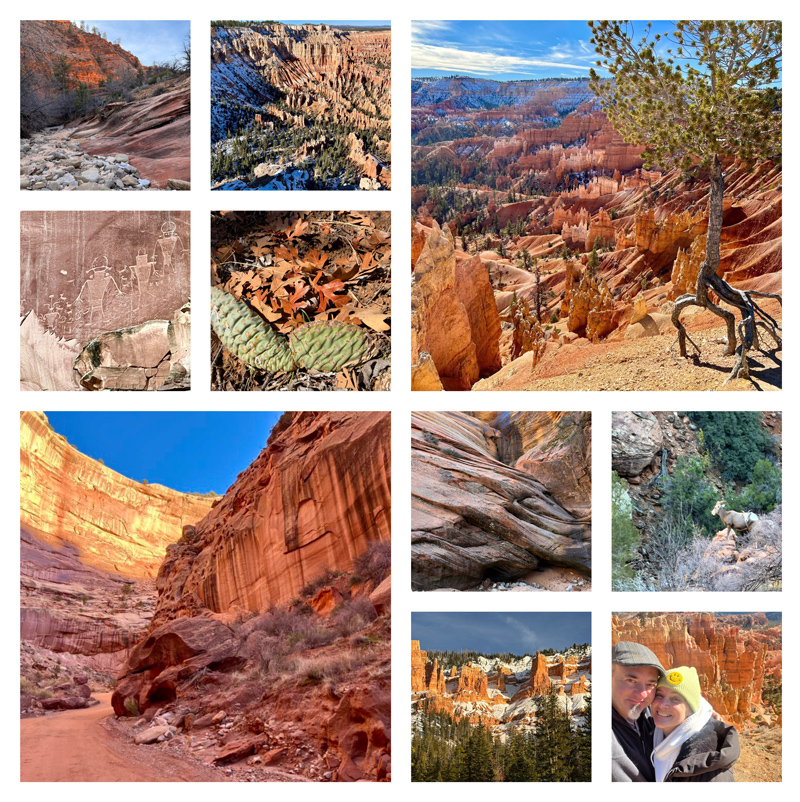
- Think about things that inspire you—things you are interested in and important to you, things that make you happy, things you want to learn about, perhaps some goals you would like to pursue.
- Use these things to take a photo every day during the month of December—document things you are doing, celebrating, exploring. And don’t take just one photo, take a bunch. This exercise is to help you get more familiar with your camera, to learn how to use it, and to help you take better photos. It’s all about practice…
- At the end of the month, look through all of your images, and select ten of them. They don’t have to be your best shots. They can be images that you find interesting, images you learned from, or just images that you want to share.
- Create a photo grid of just your ten selected photos. You can use whatever tool you have available, like Photoshop, Canva, or an online service. Below are instructions on how to use PhotoJointer, and online, free service that doesn’t require you to set up an account, or share any personal details.
- Then, email your finished photo grid to Luke by January 12, 2026. elementl@icloud.com (put “Photo Grid” in the subject line, and don’t forget to include your name!)
- We will review and critique your photo grids at our next 4-H Photography meeting on Thursday, January 22, 2026. Be prepared to talk about your images!
How to create a free photo grid online:
- Go to https://www.photojoiner.com/ and then click on “Collage Maker.” Then click on “Make a Collage.”

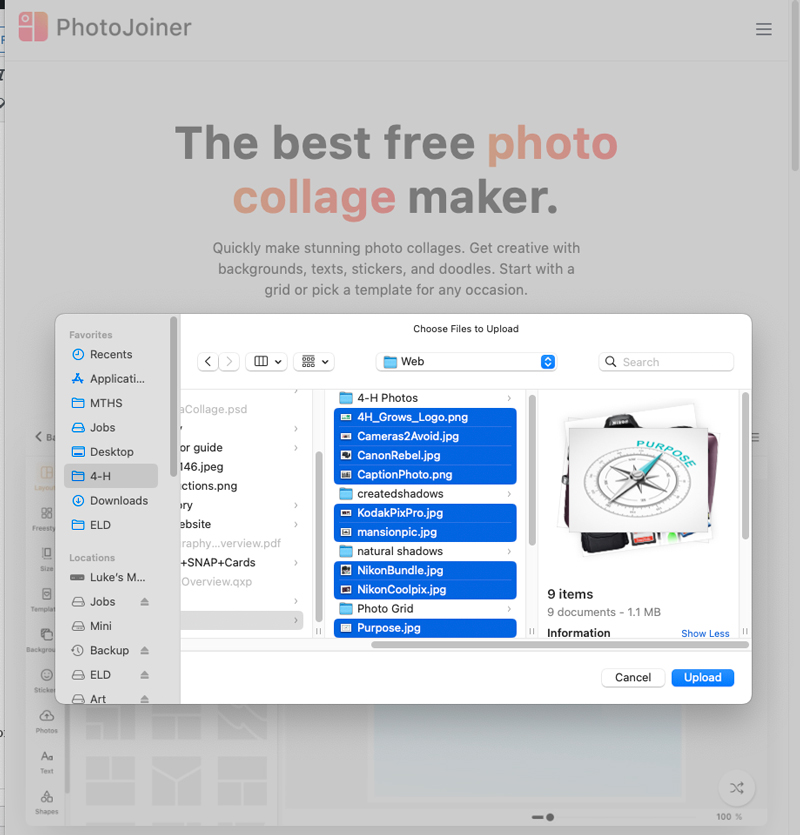
- When you click on “Make a Collage,” it will then prompt you to upload your ten photos. Select those images from your phone or a computer, and then click upload.
- Once your ten photos are uploaded, then select your grid: in the left-hand column, select “Layouts,” and then scroll down to the “10 Photos” section, and select the grid that has two large photo boxes, and two sections of four small photos (see below).
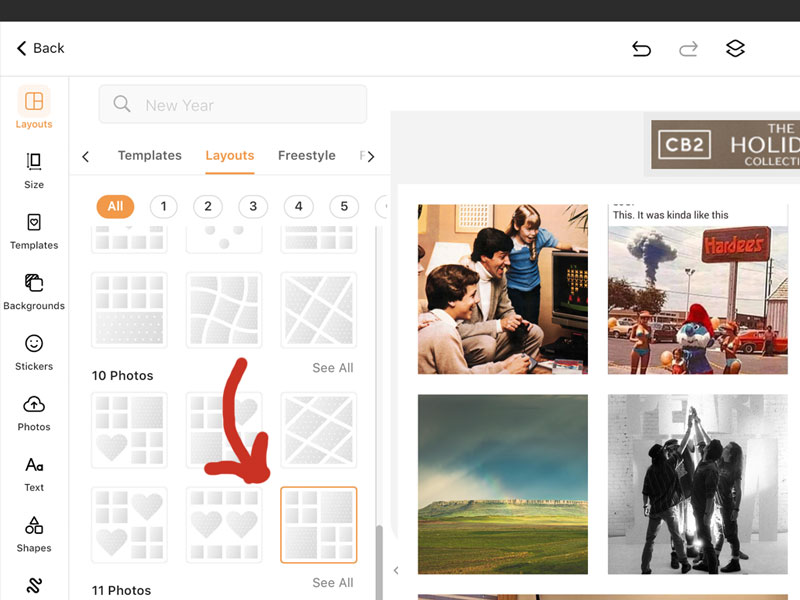
- Your ten images will appear in the grid. You can then drag them around to position them as you like:
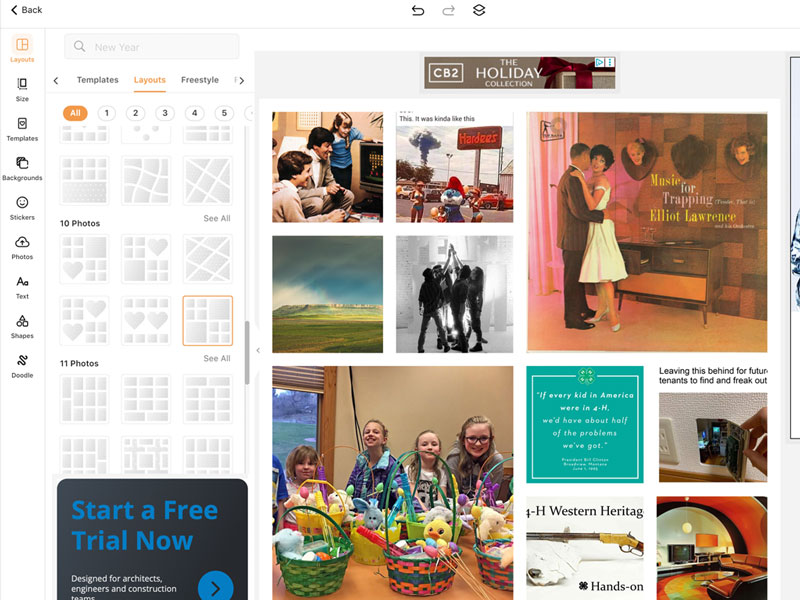
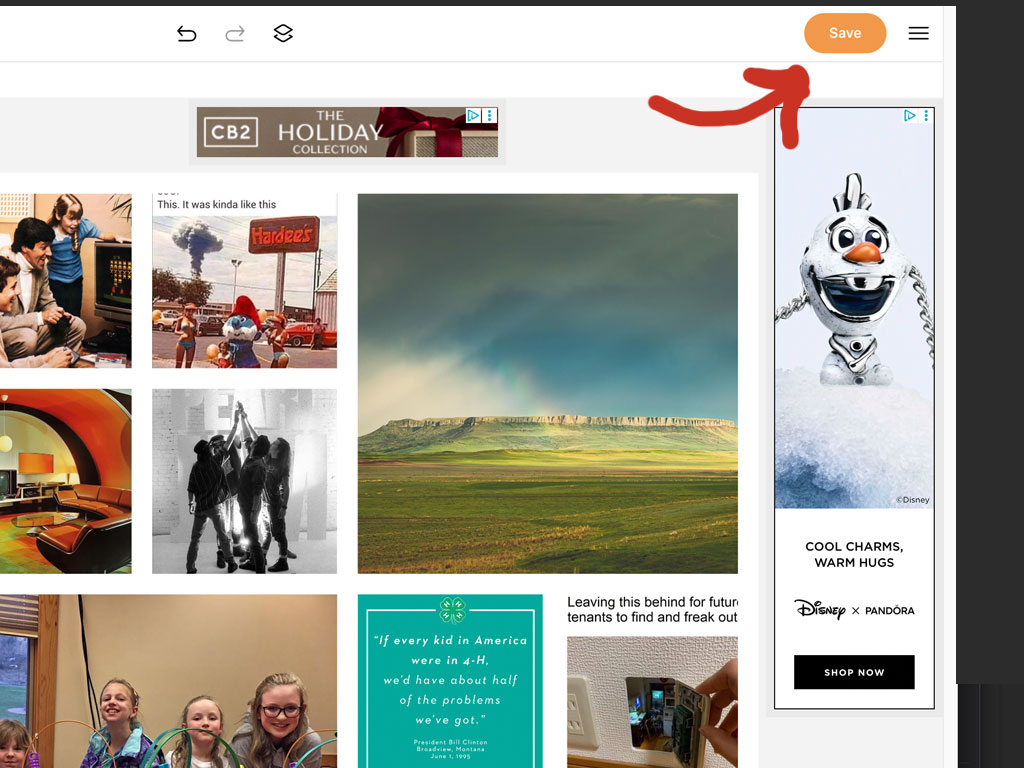
- Once you are happy with the appearance of your grid, click on the “Save” button at the top of the page.
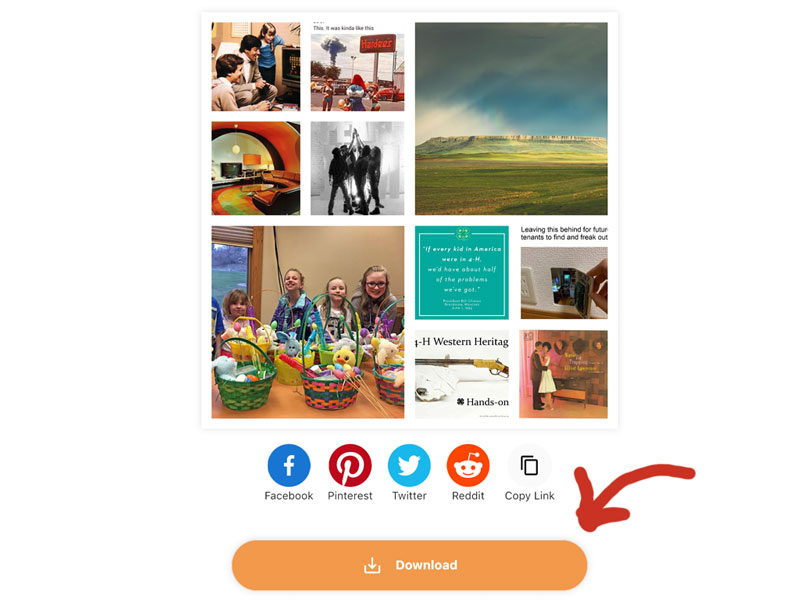
- You’ll then see your finished grid. Click on the “Download” button to save it to your phone or computer.
- Email your finished photo grid to Luke: elementl@icloud.com by January 12, 2026.