Image
  • Contact
  • Project Info
    • About the Photography project
  • Expectations
  • Challenges
  • 2026 Photo Show
  • Resources
    • Galleries
      • 2021 Photo Show Gallery
      • 2020 Photo Show Gallery
      • Self-Portrait Gallery

All articles by luke

February 2026 Photo Challenge

Posted by luke //
 January 14, 2026

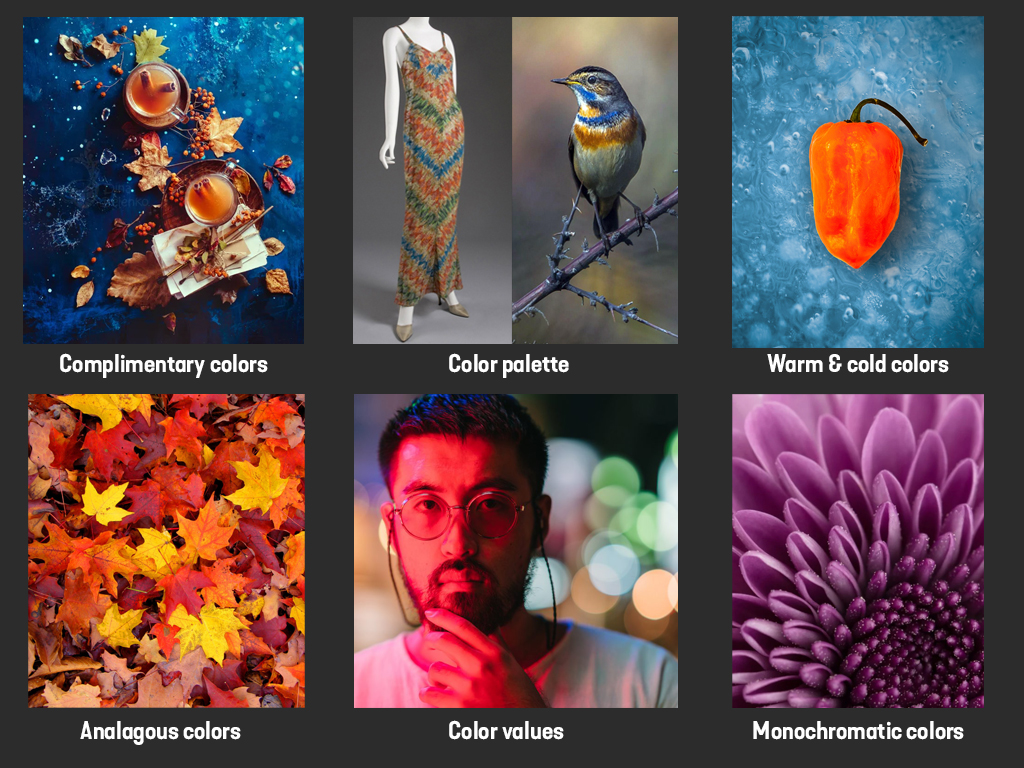
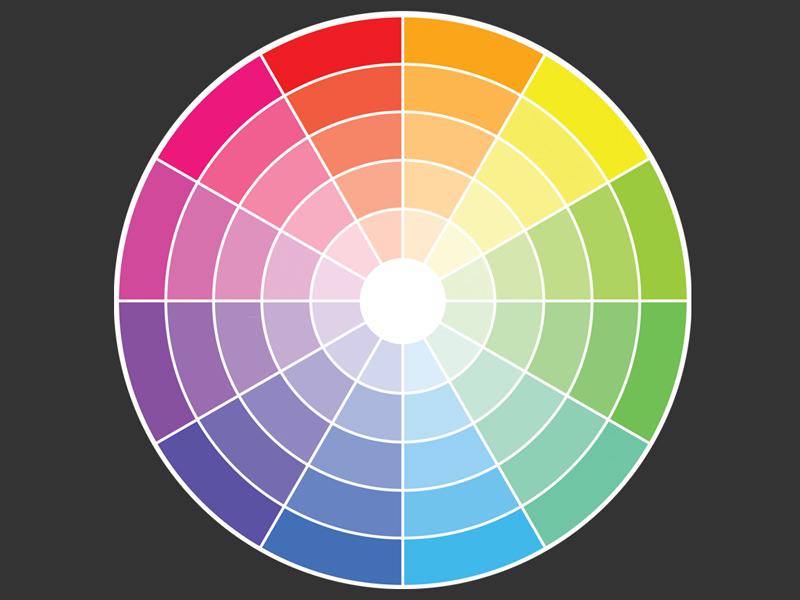
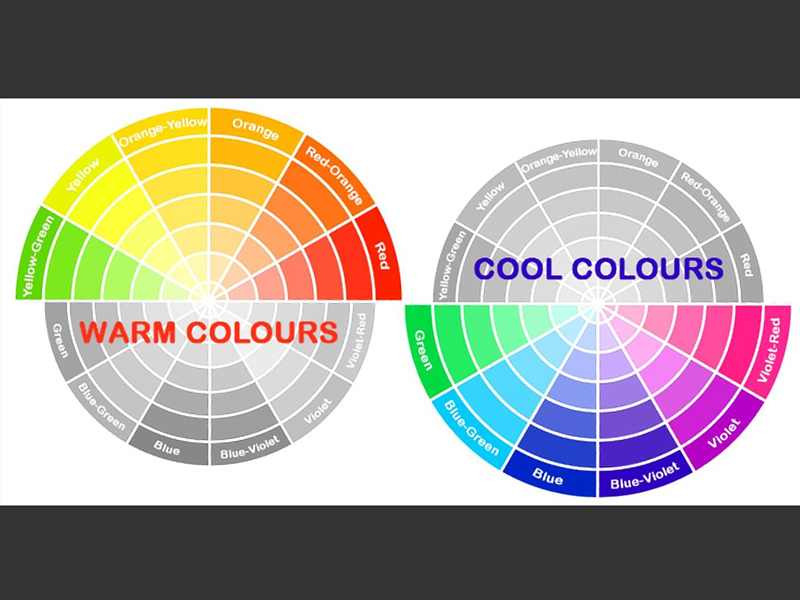
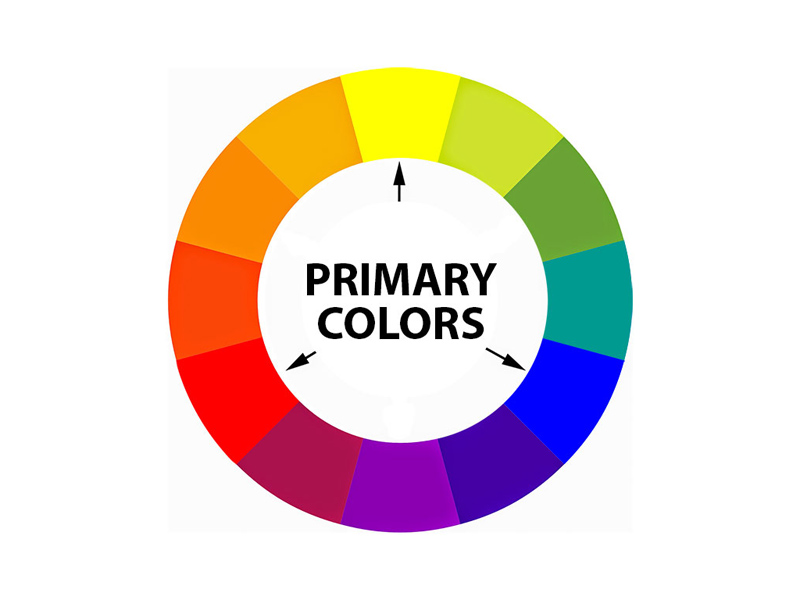
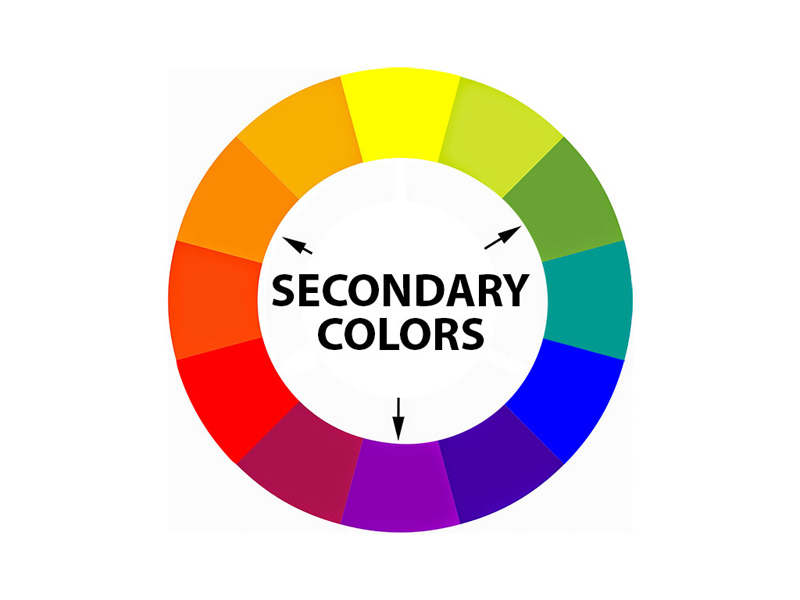
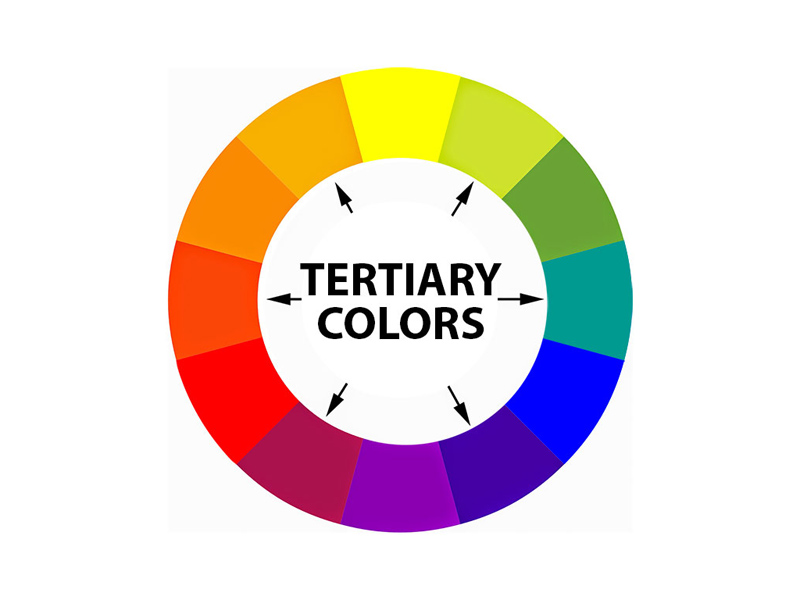
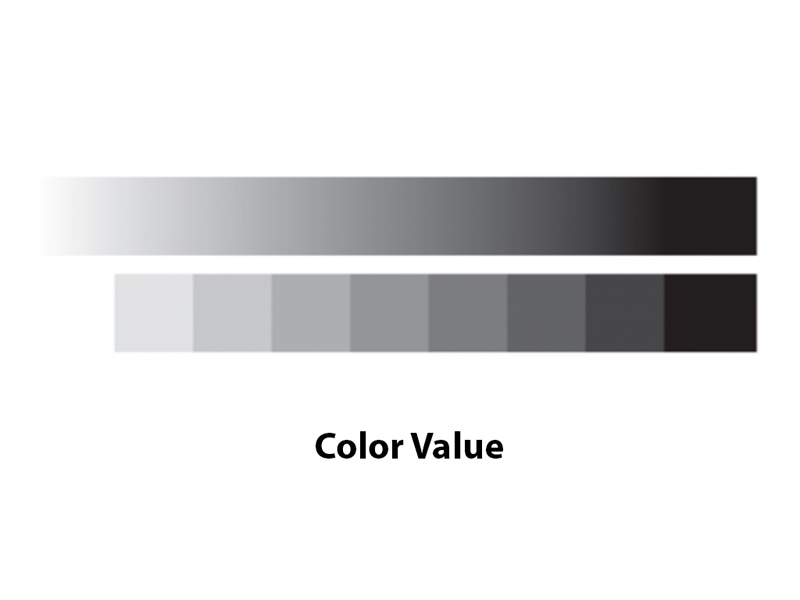
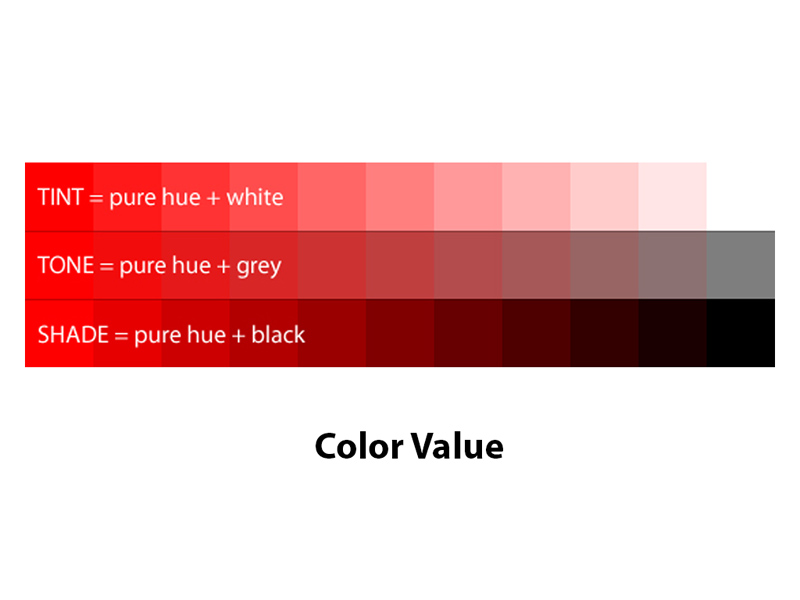
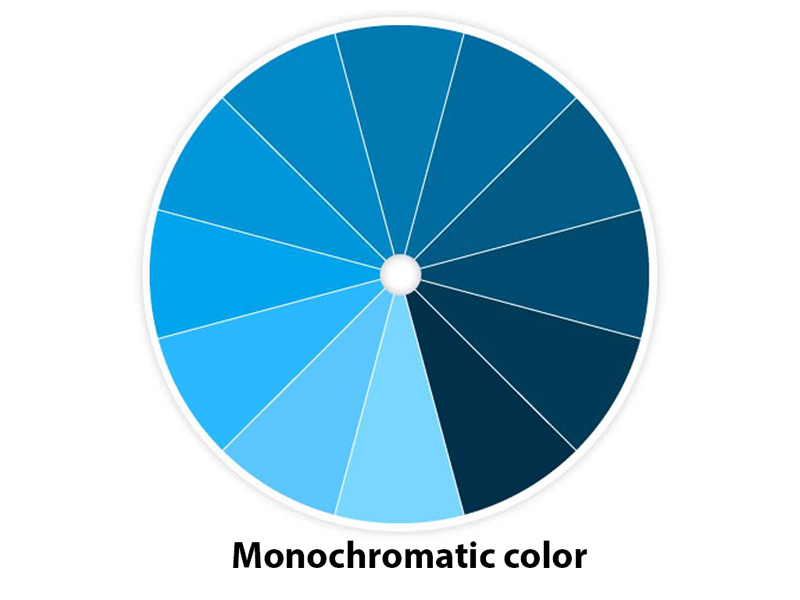
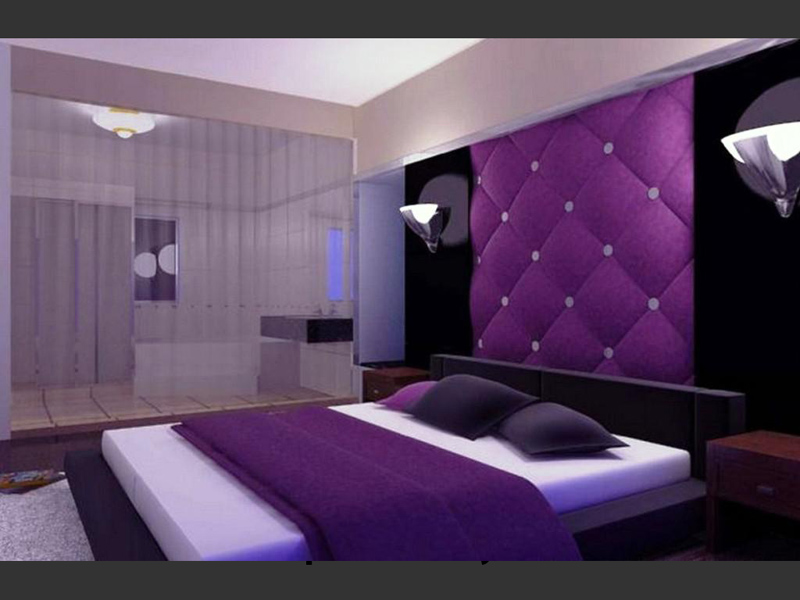
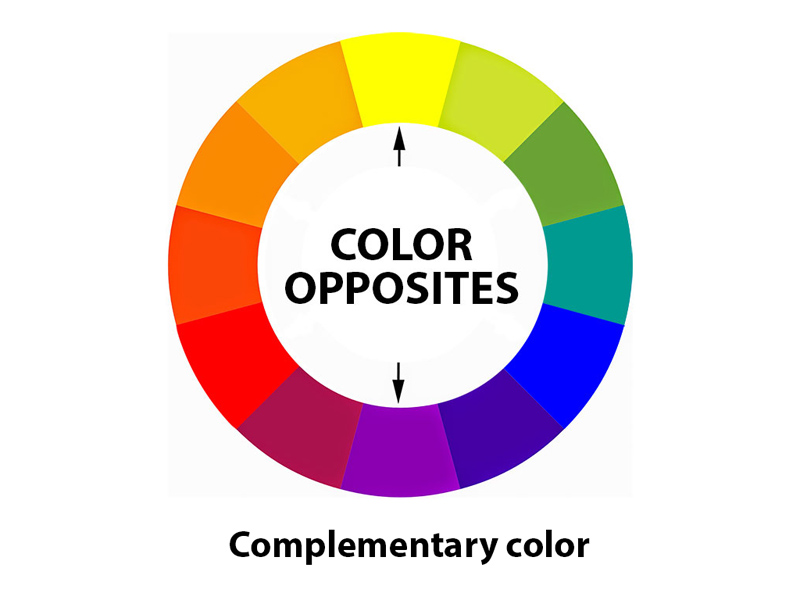
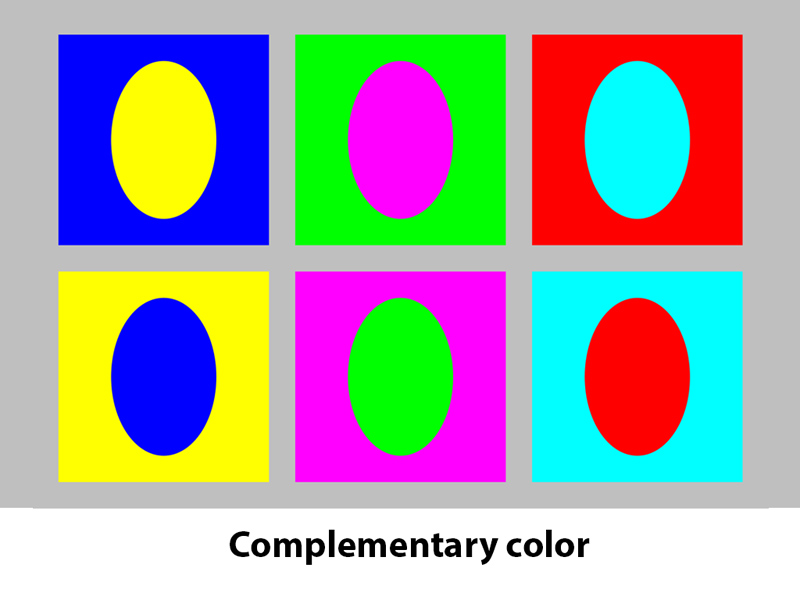
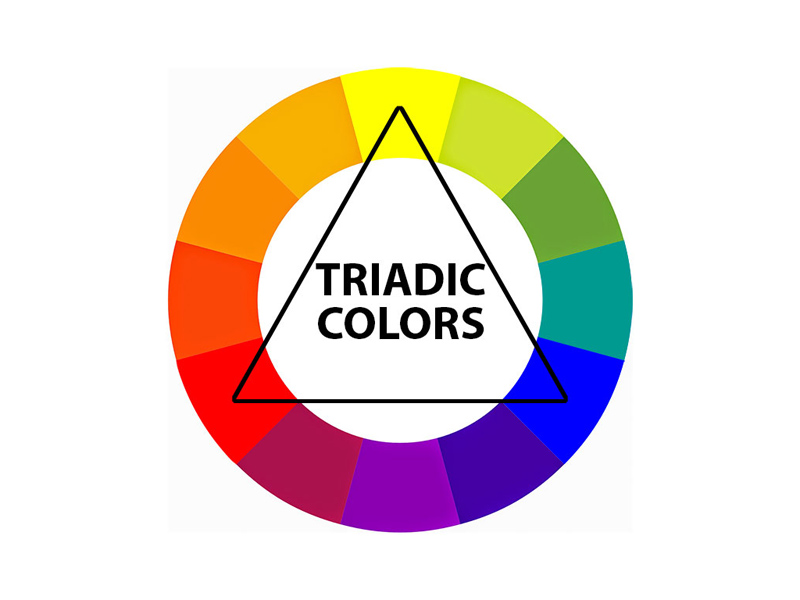
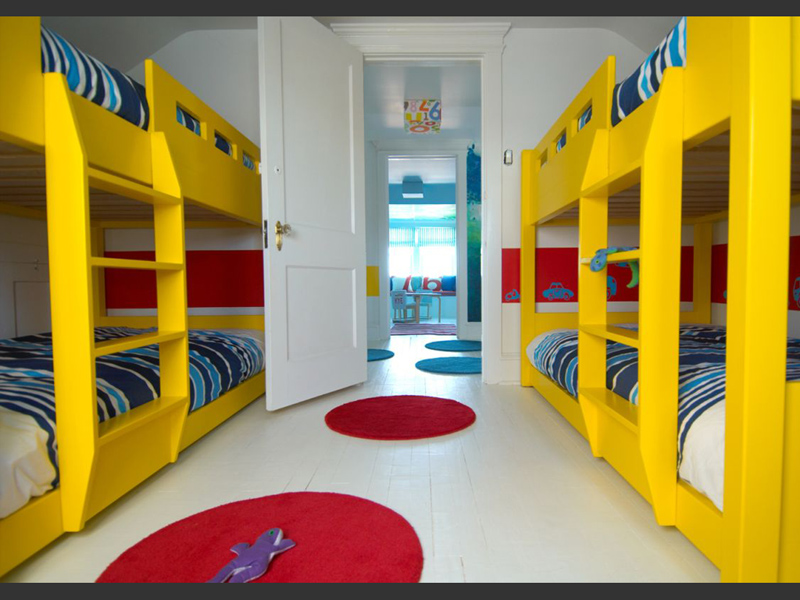
At our January meeting we discussed color theory, and composing photos that show examples of various color models and color palettes.

Your challenge for February:

1. Use your color chip that was handed out to you at the meeting as your starting point. If you were not at the meeting, and you need one, please contact Luke and he will get one to you.

2. Select a color goal you want to photograph:

  • Complimentary
  • Color palette
  • Analagous color
  • Warm and cold colors
  • Monochromatic image
  • Color values

3. Compose and shoot your photo using the color that was assigned to you. You’ll need to be able to describe which color model you chose when you present your photo.

4. Email your image to Luke by Sunday, February 15, 2026. Be sure to include “color photo” in the subject line, and include your name and the color model you chose.

5. Be prepared to discuss your challenge at our March meeting on Thursday, February 19, 2026.

Color theory

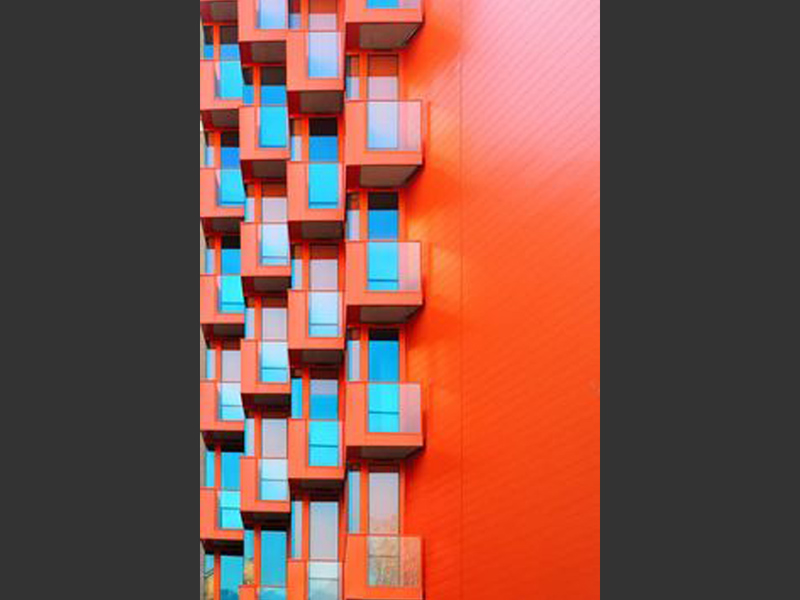
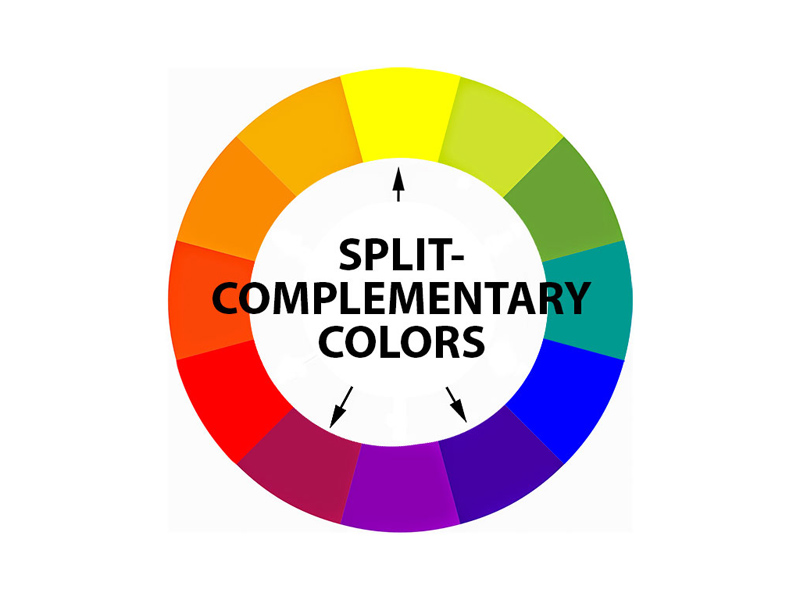
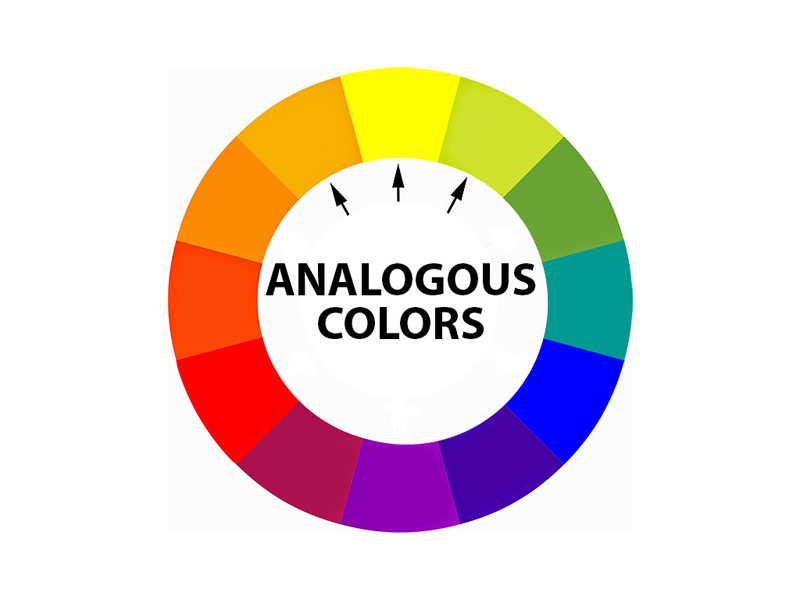
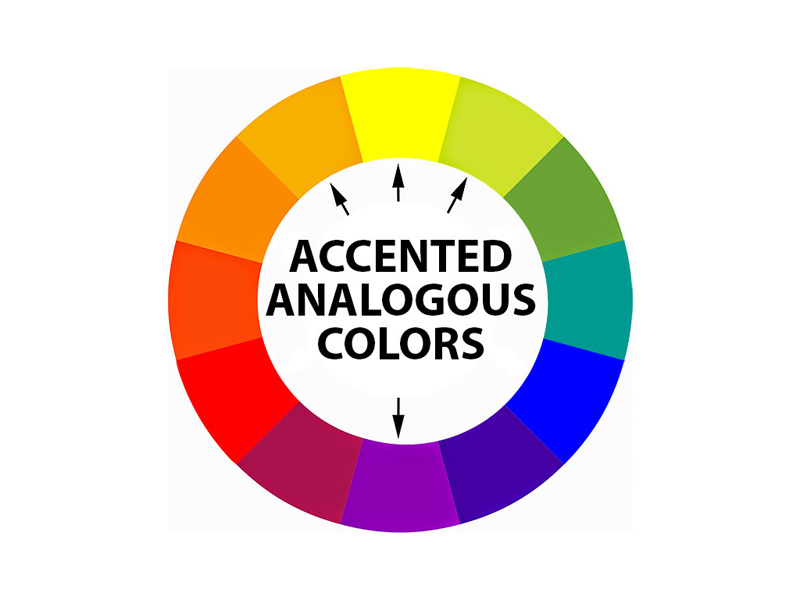
Examples of the color theory models we discussed are all featured here in this slideshow:

  • 64
  • 13
  • 14
  • 22
  • 23
  • 24
  • 25
  • 26
  • 27
  • 31
  • 28
  • 29
  • 30
  • 32
  • 33
  • 34
  • 35
  • 36
  • 37
  • 39
  • 38
  • 40

December 2025 Photo Challenge

Posted by luke //
 December 1, 2025

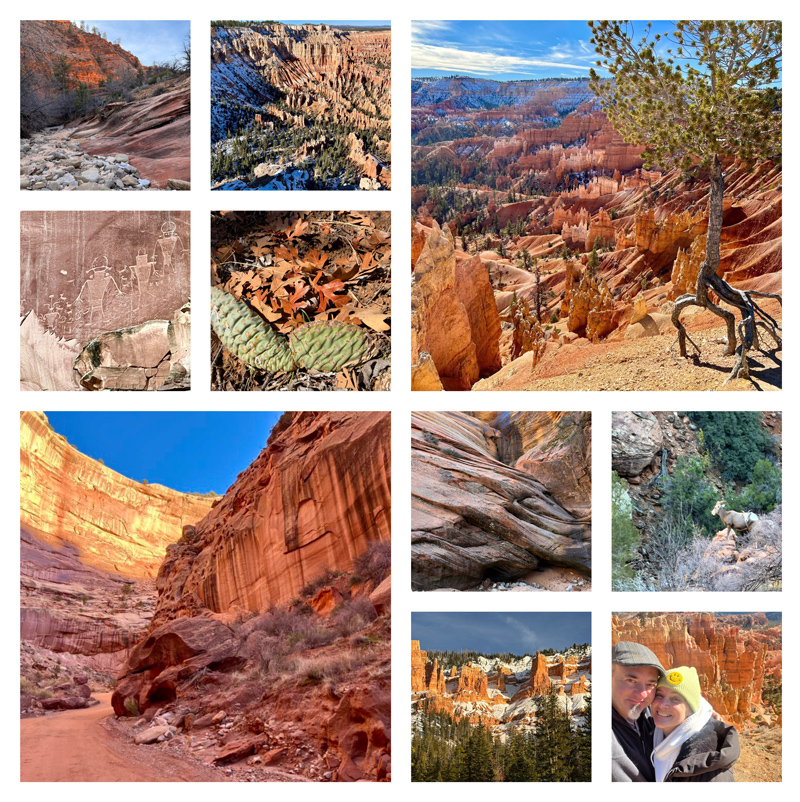
Document your month of December, and share it with us in a photo grid

  1. Think about things that inspire you—things you are interested in and important to you, things that make you happy, things you want to learn about, perhaps some goals you would like to pursue.
  2. Use these things to take a photo every day during the month of December—document things you are doing, celebrating, exploring. And don’t take just one photo, take a bunch. This exercise is to help you get more familiar with your camera, to learn how to use it, and to help you take better photos. It’s all about practice…
  3. At the end of the month, look through all of your images, and select ten of them. They don’t have to be your best shots. They can be images that you find interesting, images you learned from, or just images that you want to share.
  4. Create a photo grid of just your ten selected photos. You can use whatever tool you have available, like Photoshop, Canva, or an online service. Below are instructions on how to use PhotoJointer, and online, free service that doesn’t require you to set up an account, or share any personal details.
  5. Then, email your finished photo grid to Luke by January 12, 2026. elementl@icloud.com (put “Photo Grid” in the subject line, and don’t forget to include your name!)
  6. We will review and critique your photo grids at our next 4-H Photography meeting on Thursday, January 22, 2026. Be prepared to talk about your images!

How to create a free photo grid online:

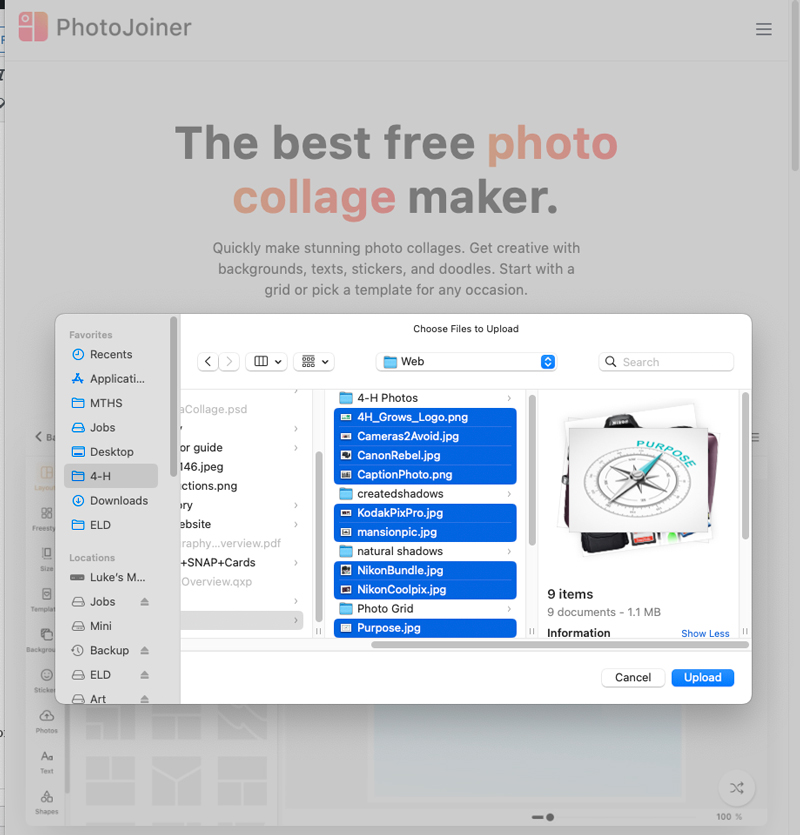
  1. Go to https://www.photojoiner.com/ and then click on “Collage Maker.” Then click on “Make a Collage.”
  2. When you click on “Make a Collage,” it will then prompt you to upload your ten photos. Select those images from your phone or a computer, and then click upload.
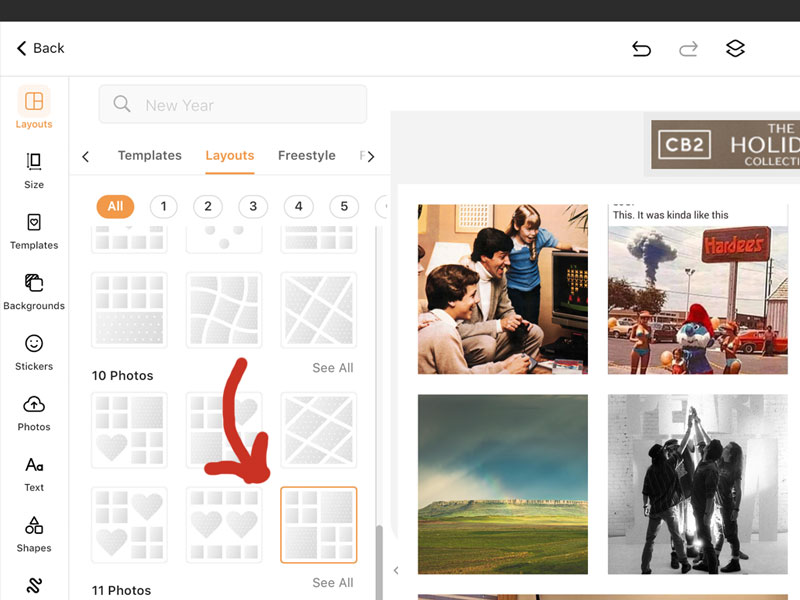
  3. Once your ten photos are uploaded, then select your grid: in the left-hand column, select “Layouts,” and then scroll down to the “10 Photos” section, and select the grid that has two large photo boxes, and two sections of four small photos (see below).
  4. Your ten images will appear in the grid. You can then drag them around to position them as you like:
  5. Once you are happy with the appearance of your grid, click on the “Save” button at the top of the page.
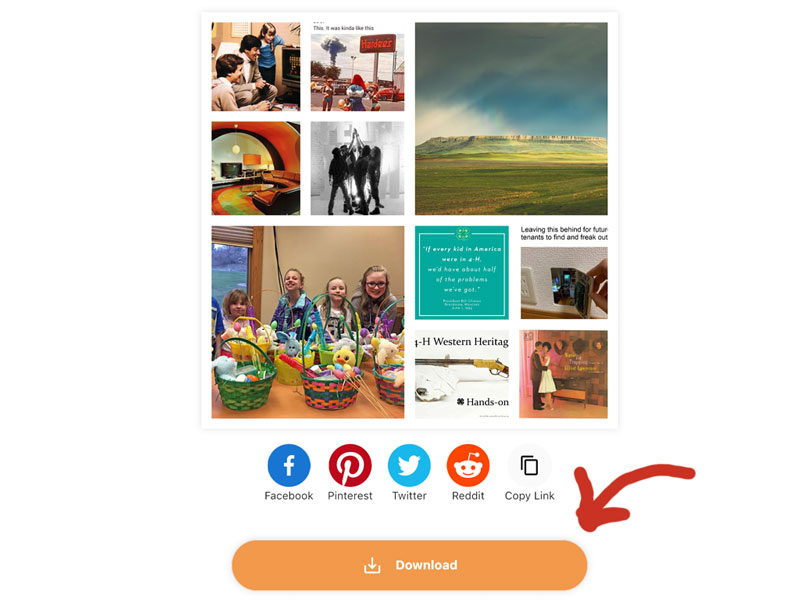
  6. You’ll then see your finished grid. Click on the “Download” button to save it to your phone or computer.
  7. Email your finished photo grid to Luke: elementl@icloud.com by January 12, 2026.

April 2025 Photo Challenge

Posted by luke //
 March 28, 2025

Our annual 4-H Photo Show is rapidly approaching! To help you prepare what you want to exhibit this year, this photo challenge is Part 2 to our March challenge,  seeking you to push out of your comfort zone, put in extra effort, and get the best photo you can.

Assignment:

  • Take photos that represent some aspect of your 4-H experience
  • Write a caption that explains your photo, and how one part of your 4-H experience helps you to be Beyond Ready.
  • Take lots of photos so that you don’t just settle for your first image
  • Lots of photos will help you to have perspective and flexibility in choosing what you feel is your BEST image.
  • Get out of your comfort zone—don’t take “easy” shots—push yourself by trying different angles and perspectives. Put your imagination and creativity to work! To all of you who showed a photo at our March workshop, push yourself to improve upon your work, and refine your message.
  • Email your caption, and what you feel is your best shot from this exercise to Luke by Monday, April 21. Email to: elementl@icloud.com with the subject line 4-H Photo, and include your name.

Your 4-H Experience photo can be any of these things: a self portrait; a photo of a 4-H event; a photo of one of your 4-H projects; or a symbolic 4-H that represents what 4-H means to you.
The only rule is that YOU have to take the photo.

Remember, this exercise is to challenge you to really push yourself to get great photos—you need to put work and effort in to this.

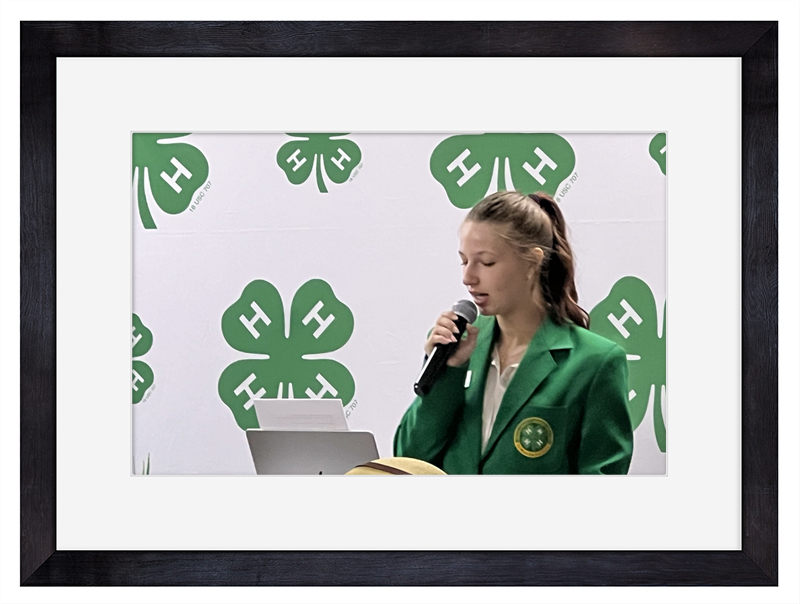
Here is an example of a caption and photo that is representative of what we’re looking for at the Photo Show:

This year I spoke to a group of my fellow 4-H’ers at the biennial 4-H Citizenship Seminar. I talked about the process that a bill will go through to be considered, and ultimately voted on to be signed in to law through the Montana legislative process. Through this activity, I shared the importance of communication to other 4-H’ers, and fulfilled some of my goals in the 4-H Leadership project.

I have learned a lot through my public speaking experience, and my service as a 4-H ambassador. My growth through 4-H has given me confidence, and prepared me to be Beyond Ready as a future community leader.

March 2025 Photo Challenge

Posted by luke //
 February 26, 2025

Our annual 4-H Photo Show is rapidly approaching! To help you prepare what you want to exhibit this year, this photo challenge seeks to push you out of your comfort zone, put in a little extra effort, and get a better photo.

“The best way to learn photography is to take pictures.”

Assignment:

  • Take photos that represent some aspect of your 4-H experience
  • Take lots of photos so that you don’t just settle for your first image
  • Lots of photos will help you to have perspective and flexibility in choosing what you feel is your BEST image.
  • Get out of your comfort zone—don’t take “easy” shots—push yourself by trying different angles and perspectives. Put your imagination and creativity to work!
  • Email what you feel is your best shot from this exercise to Luke by Sunday, March 16. Email to: elementl@icloud.com with the subject line 4-H Photo, and include your name.

Your 4-H Experience photo can be any of these things: a self portrait; a photo of a 4-H event; a photo of one of your 4-H projects; or a symbolic 4-H that represents what 4-H means to you.
The only rule is that YOU have to take the photo.

Remember, this exercise is to challenge you to really push yourself to get great photos—you need to put work and effort in to this.

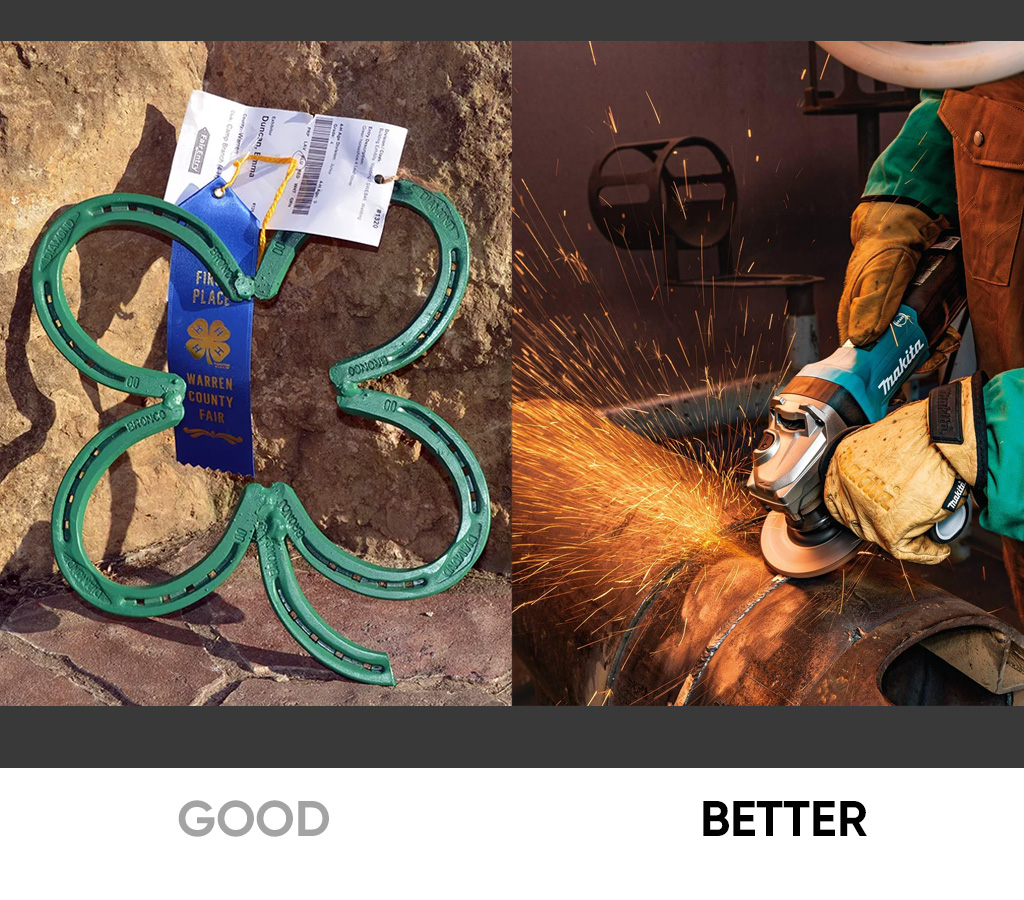
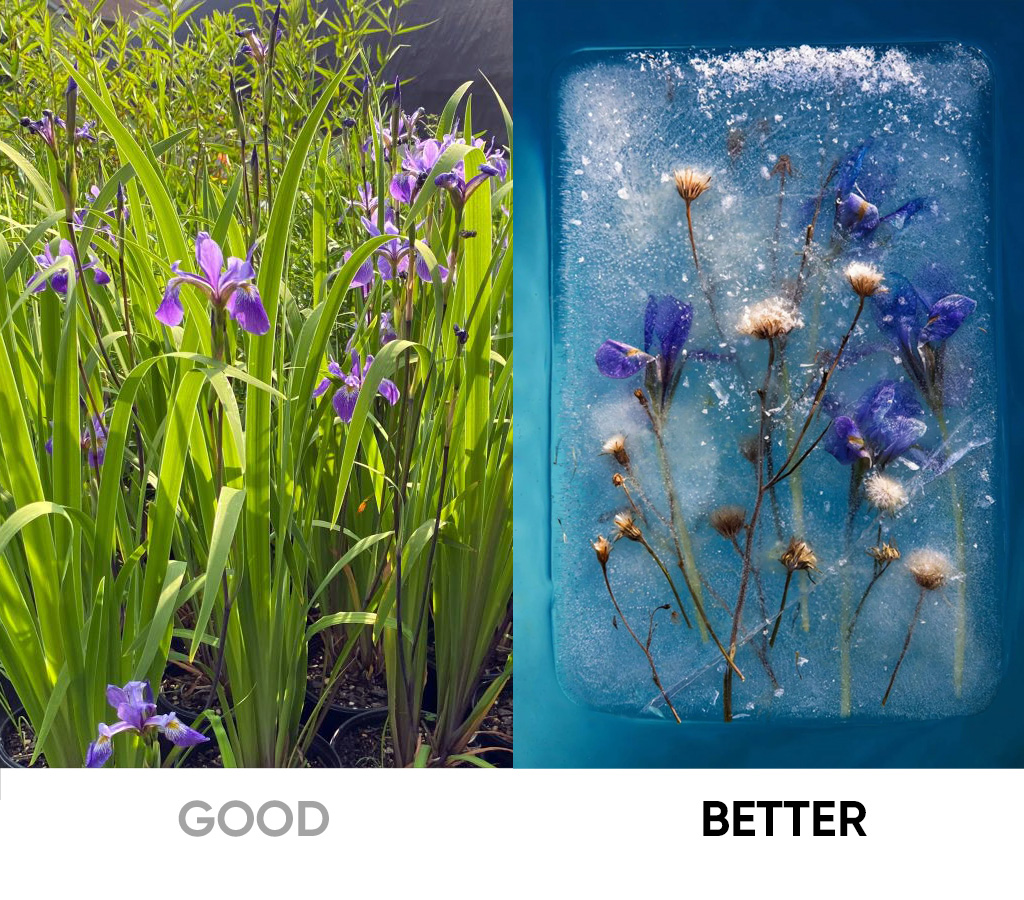
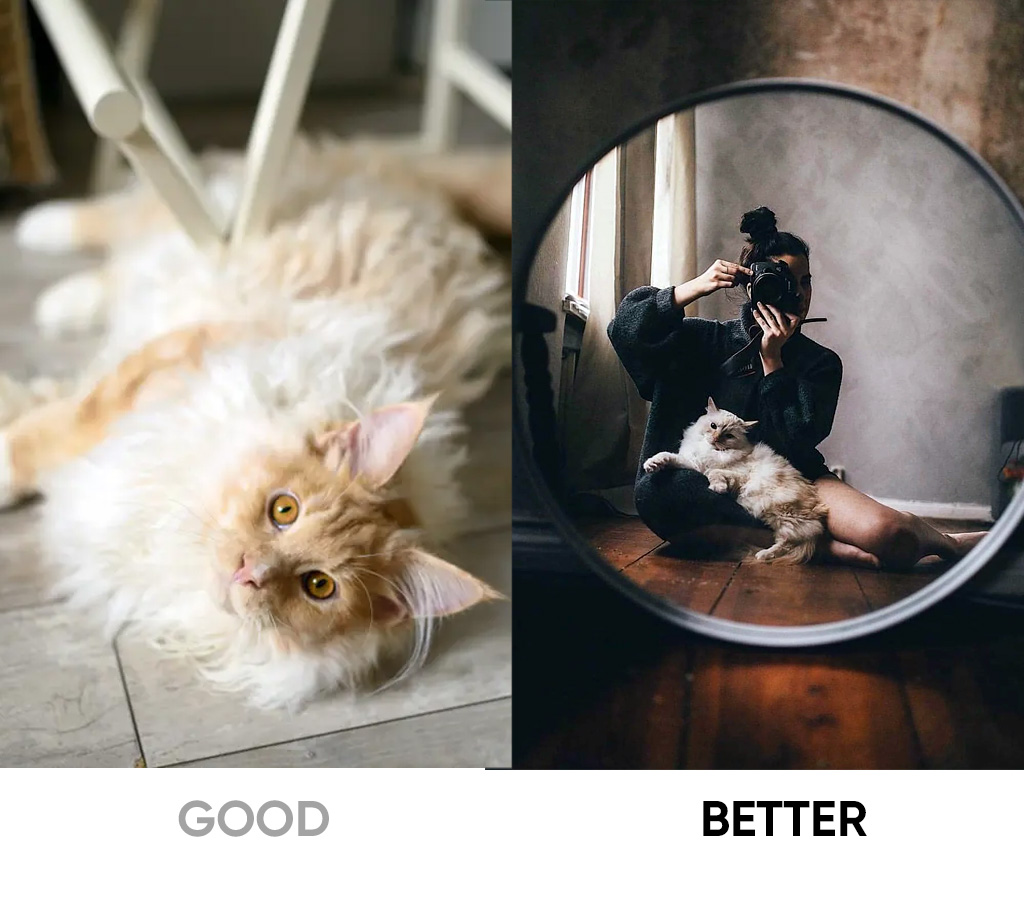
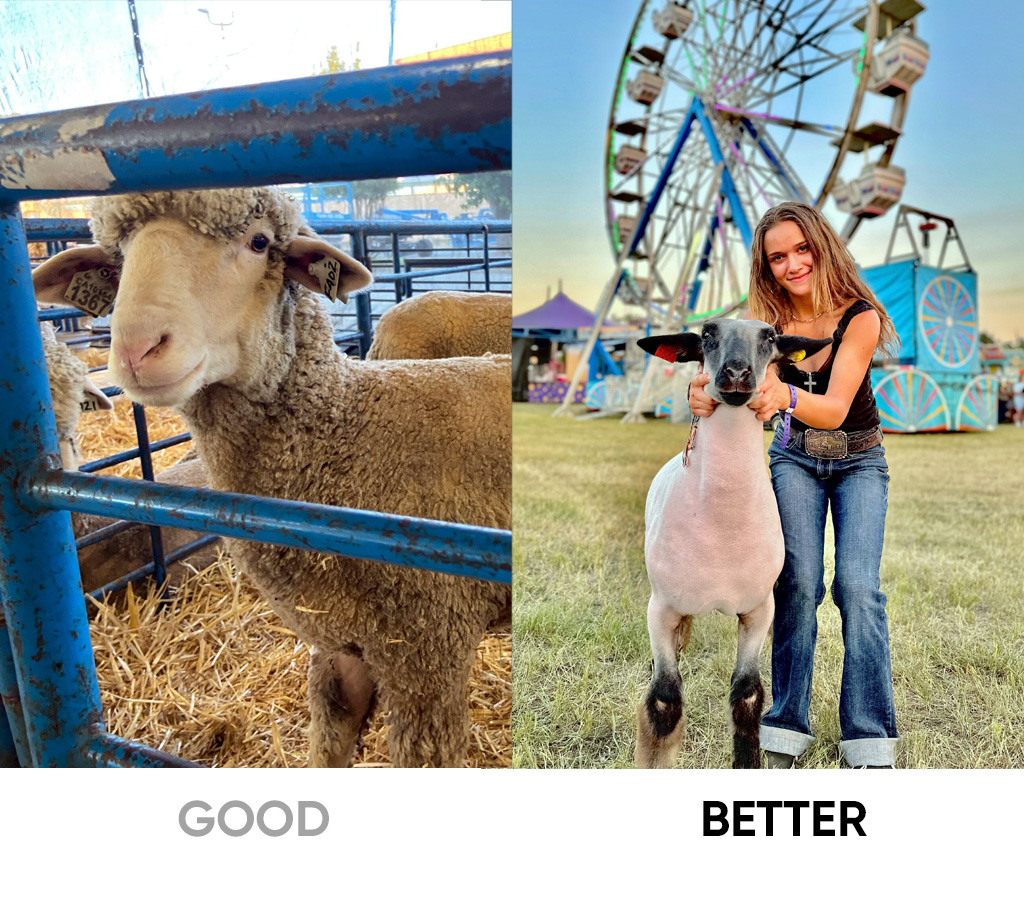
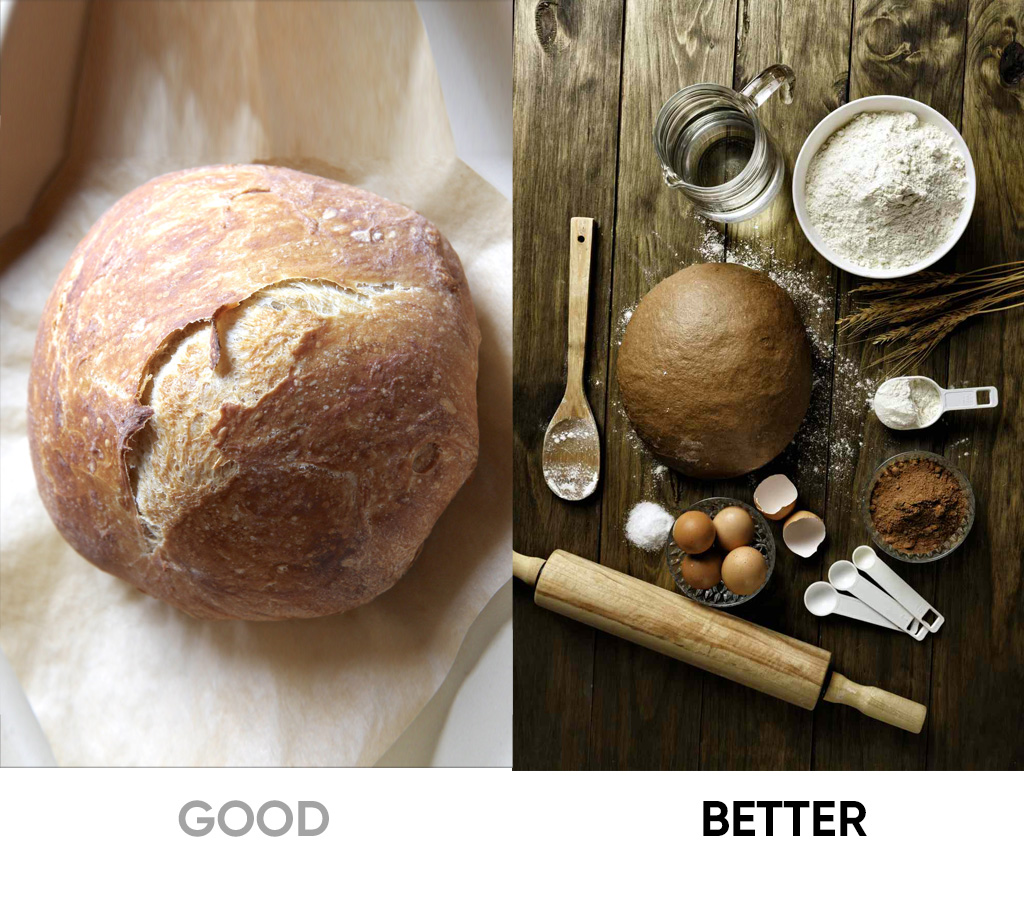
Here are examples of decent shots, and how they can be better shots:

  • 2
  • 4
  • 5
  • 3
  • 1

February 2025 Photo Challenge: Shadows

Posted by luke //
 January 25, 2025

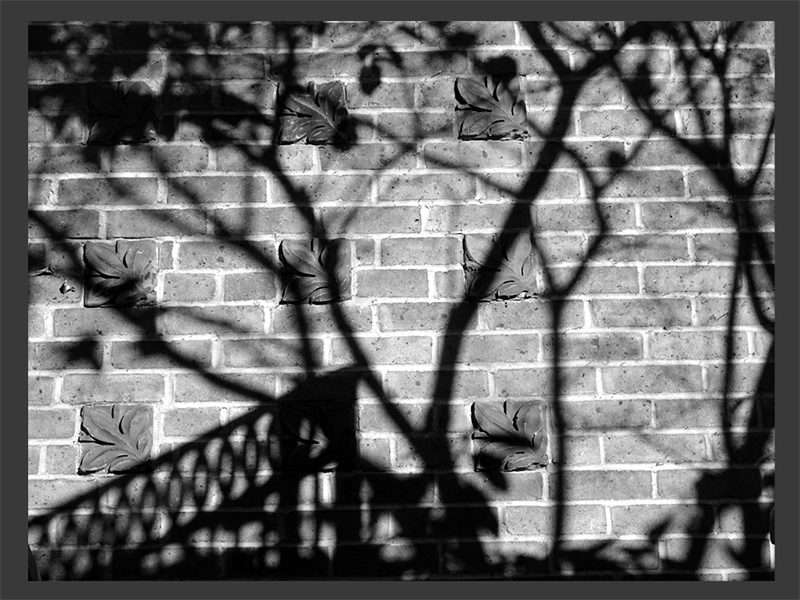
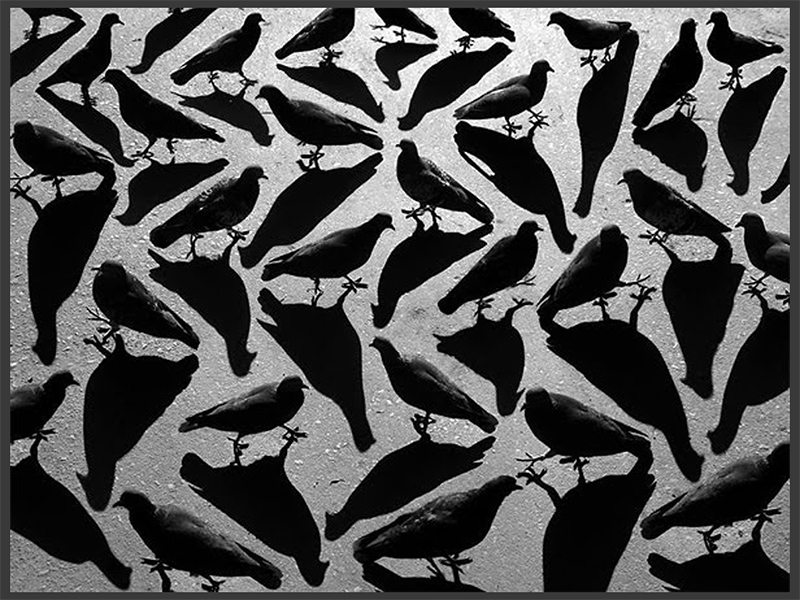
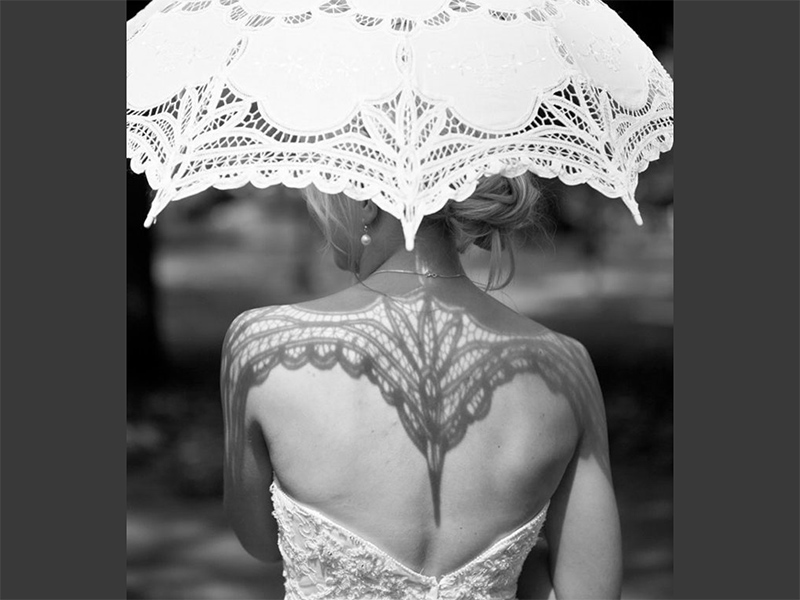
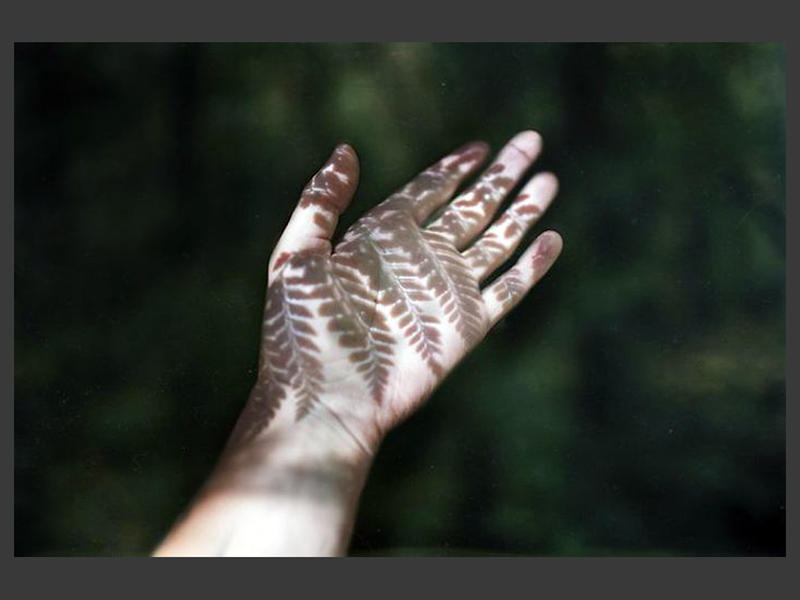
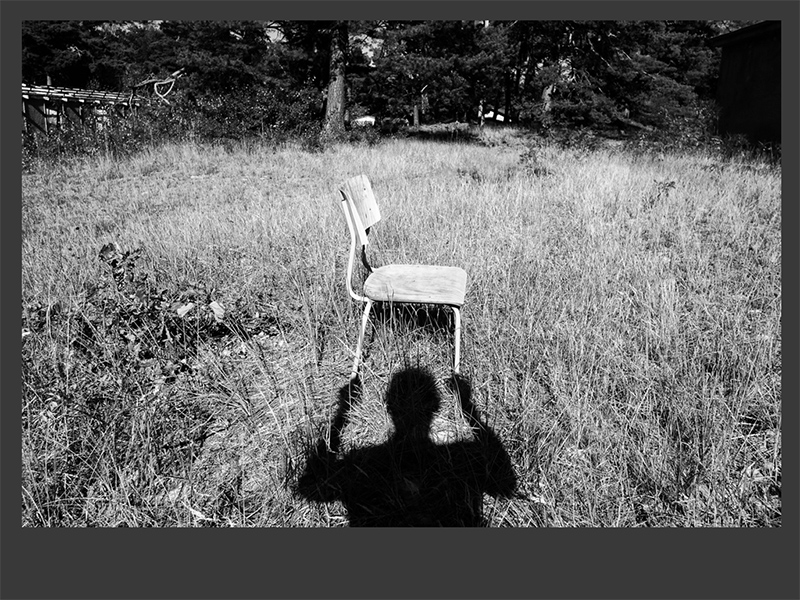
At our February workshop, we looked at examples of naturally occurring shadows, as well as shadows created by the photographer. Your challenge to:

  1. Find a naturally-occurring shadow and take a creative photo of it
  2. Design a shadow using your imagination and creativity, and photograph it.

Take lots of photos! Try photographing your shadows from different angles and perspectives, and then look back through your images to see which image you like best. Feel free to shoot color or black/white images. You’ll find that black/white images generally create stronger contrast between light and shadow.

Email two photos to Luke: your natural shadow, and your created shadow. Please review your images with a critical eye, and choose what you think are your best photos. We’ll review them in a slide show at our February meeting. Email your photos to Luke at: elementl@icloud.com and please add your name and subject in the header so I know who is sending the photo! Send your photos no later than Monday, February 17, 2025. I won’t have time to put them in a slideshow after that date.

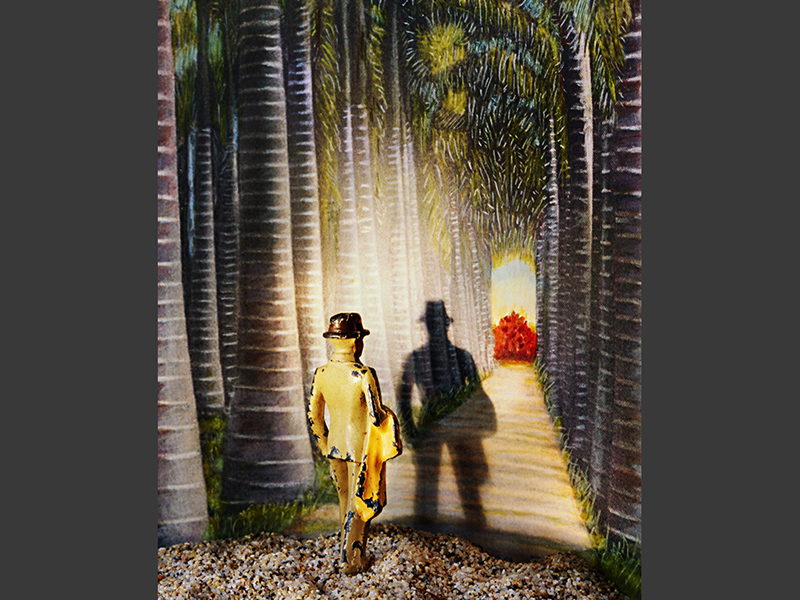
Here are some examples of naturally-occurring shadows:

  • _0004_Background
  • _0002_Layer 2
  • _0000_Layer 4
  • _0003_Layer 1
  • _0001_Layer 3

And here are examples of shadows created by the photographer:

  • 46_0001_Layer 3
  • 46_0004_Background
  • 46_0003_Layer 1
  • 46_0000_Layer 4
  • 46_0002_Layer 2


January 2025 photo challenge

Posted by luke //
 December 10, 2024

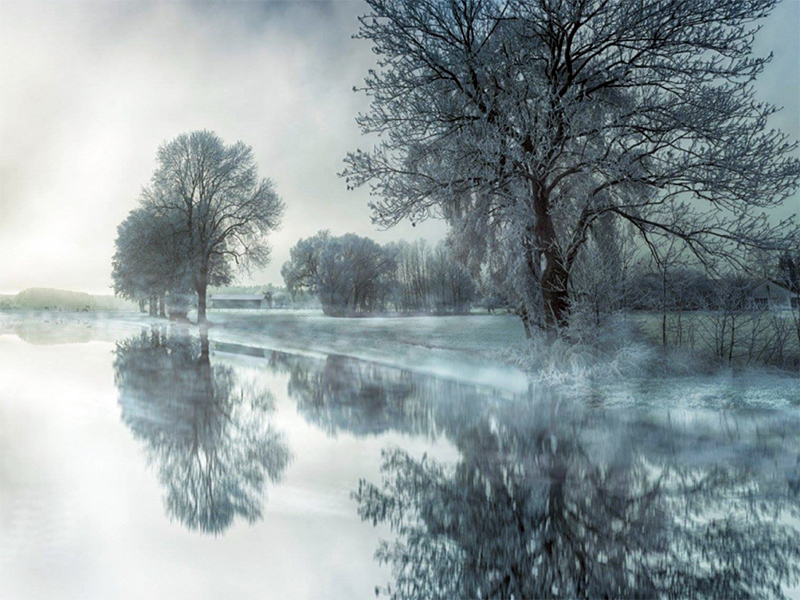
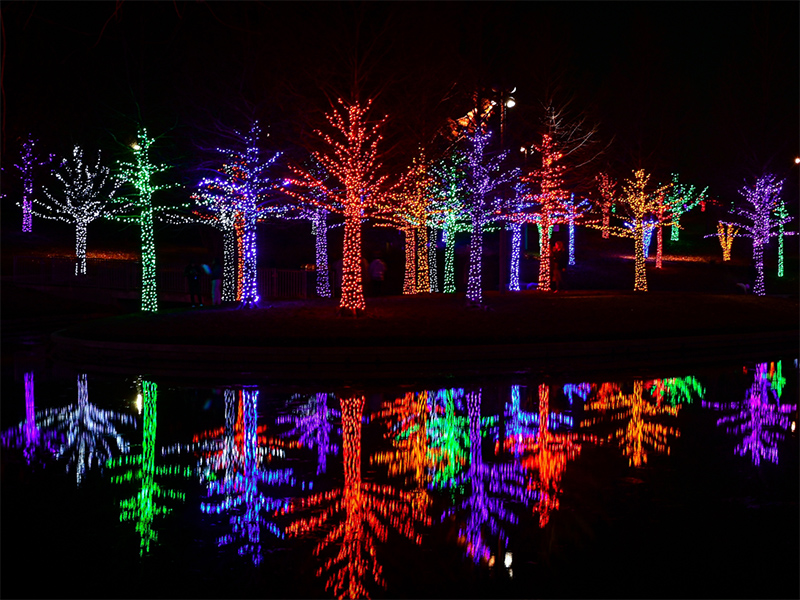
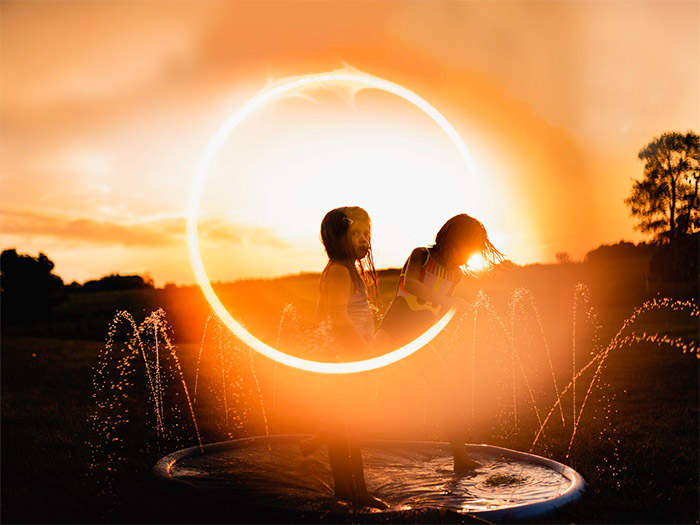
The seasonal holiday reflection challenge had 4-H photographers exploring light reflections in a winter holiday or a seasonal setting. Here are some examples:

  • 16_0004_Layer 1
  • 16_0001_Layer 4
  • 16_0000_Layer 5
  • 16_0002_Layer 3
  • 16_0005_Background
  • 16_0003_Layer 2

March 2023 Photo Challenge

Posted by luke //
 February 14, 2023

At our January meeting we discussed color theory, and composing photos that show examples of various color models and color palettes.

Your challenge for February:

1. Use your color chip that was handed out to you at the meeting as your starting point. If you were not at the meeting, and you need one, please contact Luke and he will get one to you.

2. Select a color goal you want to photograph:

  • Complimentary
  • Color palette
  • Analagous color
  • Warm and cold colors
  • Monochromatic image
  • Color values

3. Compose and shoot your photo using the color that was assigned to you. You’ll need to be able to describe which color model you chose when you present your photo.

4. Email your image to Luke by Sunday, February 15, 2026. Be sure to include “color photo” in the subject line, and include your name and the color model you chose.

5. Be prepared to discuss your challenge at our March meeting on Thursday, February 19, 2026.

Color theory

Examples of the color theory models we discussed are all featured here in this slideshow:

  • 64
  • 13
  • 14
  • 22
  • 23
  • 24
  • 25
  • 26
  • 27
  • 31
  • 28
  • 29
  • 30
  • 32
  • 33
  • 34
  • 35
  • 36
  • 37
  • 39
  • 38
  • 40

February 2023 photo challenge

Posted by luke //
 January 20, 2023

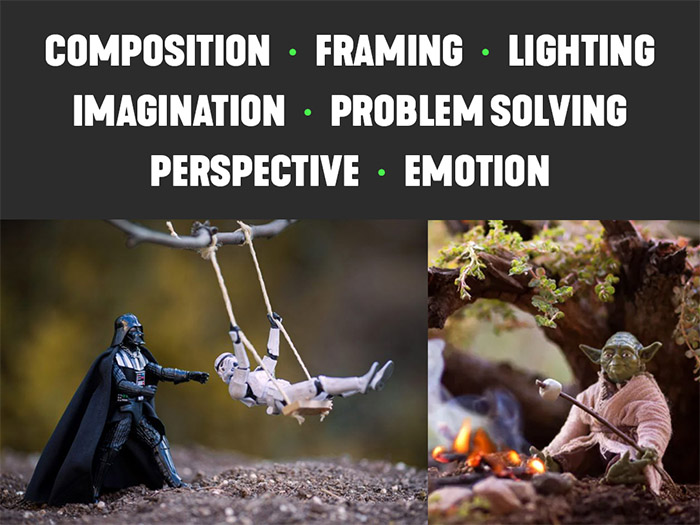
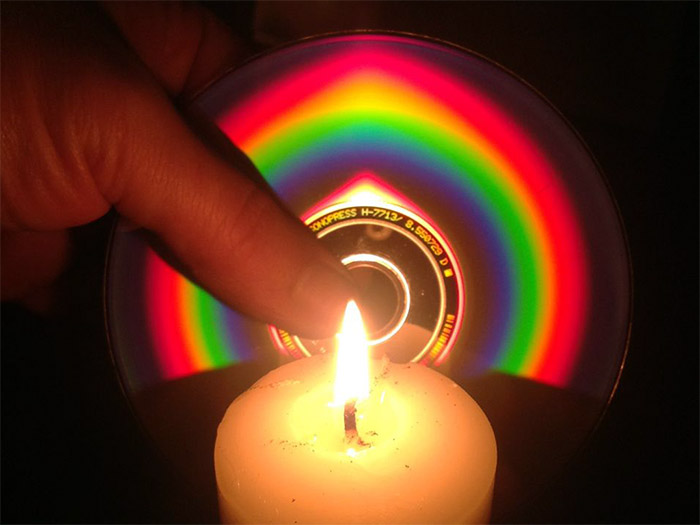
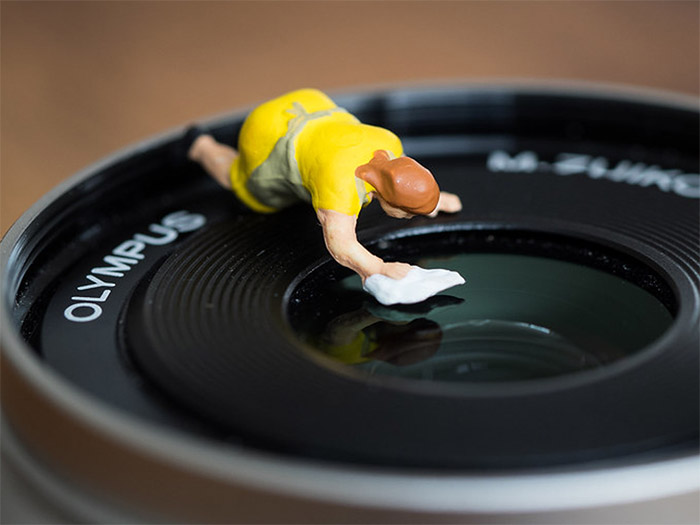
This month, we’re working with cheap props to imagine a shot, set up the scene, and then photograph the results. The only rule is that your props should be very cheap, or free.

You’re not limited to what kind of prop you use. As we discussed at our January workshop, some suggested prop ideas include:

  • Bubbles
  • Copper pipe
  • Confetti
  • LED lights
  • Toys
  • Sparklers
  • Compact disc
  • Balloons
  • Mirrors
  • Candy
  • Crystal lens ball
    (link to purchase one is here: https://amzn.to/3WlBxp2)


Here is your challenge assignment:

  1. Select a cheap prop to use (even better, experiment with several!)
  2. Set up your scene using your prop.
  3. Take lots of photos and then select what you feel is your best image
  4. Email your photo to Luke by Sunday, February 5, 2023 Email: elementl@bresnan.net

Here are some of the examples of photos using the props listed above, that we looked at during the workshop:

  • prop_0013_Layer 11
  • prop_0005_Layer 19
  • prop_0010_Layer 14
  • prop_0018_Layer 6
  • prop_0004_Layer 20
  • prop_0008_Layer 16
  • prop_0015_Layer 9
  • prop_0003_Layer 21
  • prop_0016_Layer 8
  • prop_0023_Layer 1
  • prop_0009_Layer 15
  • prop_0000_Layer 24
  • prop_0011_Layer 13
  • prop_0014_Layer 10
  • prop_0021_Layer 3
  • prop_0006_Layer 18
  • prop_0012_Layer 12
  • prop_0001_Layer 23
  • prop_0017_Layer 7
  • prop_0022_Layer 2
  • prop_0019_Layer 5
  • prop_0020_Layer 4
  • prop_0002_Layer 22
  • prop_0007_Layer 17
  • prop_0024_Background

January 2023 Photo Challenge

Posted by luke //
 November 28, 2022

Build your inspiration library!

At our November meeting we talked about how all creative solutions come from inspiration. What inspires you? Where do you get inspiration?

Your photo challenge for January:

  1. Make a list of things that inspire you. This can be anything and everything!
  2. Narrow your list down to four topics of inspiration that really stand out to you.
  3. Search for images that represent those four topics—this is where you “fill your glass” with inspiration.
  4. Now choose one of the four topics in your list, and create an inspired photo
  5. Based on what you learned, what you found, create your own photo from things that gave you ideas.
  6. Submit your image via email to Luke by January 6, 2023: elementl@bresnan.net. Be sure to include the subject line “4-H Photography” and include your full name.
  7. At our January meeting, be prepared to talk about your inspiration list, and the photo you created.

Example:

• Make a list of things that inspire you. This can be anything and everything!

• Narrow your list down to four topics of inspiration that really stand out to you.

• Search for images that represent those four topics—this is where you “fill your glass” with inspiration.

• Now choose one of the four topics in your list, and create an inspired photo

• Based on what you learned, what you found, create your own photo from things that gave you ideas.

Submit your image via email to Luke by January 6, 2023: elementl@bresnan.net
Include “4-H Photography submission” in your email subject line, and include your full name so I know who is submitting the photo.

At our January meeting, be prepared to talk about your inspiration list, and the photo you created.

April 2022 Workshop

Posted by luke //
 March 28, 2022

Wednesday April 20, 2022  4:45 p.m.
Downstairs meeting room at St. John’s Lutheran Church
1000 Helena Avenue (Across from Helena Middle School)

We will be doing a final check-in before the Photo Show. If your photos are ready to go, you may bring your work to the meeting. If you’re not ready, you can email a photo to Luke to feature in a slideshow to discuss your work. Remember your photos must be in a black frame with a white matte, and include the following:

  • Wire mounted on the back of your frame for hanging
  • Your Name, Age and 4-H Club
  • A short caption with details about your photo and explaining your image in a 4-H context.

Please carefully review the Photo Show page to make sure you’ve met all the criteria for the show. Additional details on how you can drop off your photos at the Holter are also included.


Next Page →

Next event:

April 2025 workshop

Thursday, April 2 • 5:30 p.m.
St. John’s Lutheran Church
1000 Helena Avenue • Helena

We will be discussing our upcoming Photo Show


Get email updates

* indicates required

Lewis & Clark 4-H Photography is on BAND:

4-H Photography | Copyright © 2026 All Rights Reserved

iThemes Builder by iThemes | Powered by WordPress